Tutorial 4 of 7
Queries, saved filters and bulk edit
Intermediate 6 min
Find issues with Trackwell's query language, save the queries you need every day, edit many issues at once and export the result as CSV.
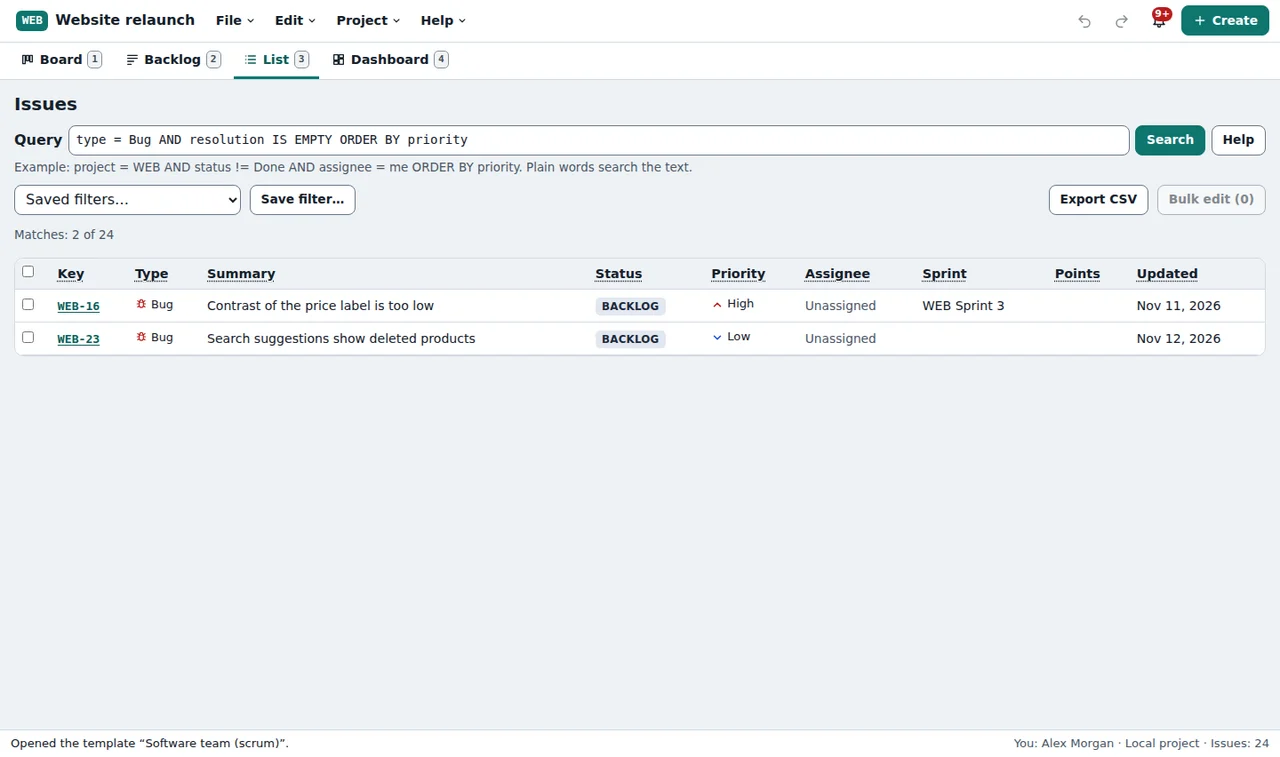
The List tab shows issues as a table, filtered by a query. A query is a small sentence such as:
assignee = me AND statusCategory != Done ORDER BY priorityPlain words without an operator search the text, so login error finds every issue that mentions both words.
Writing queries
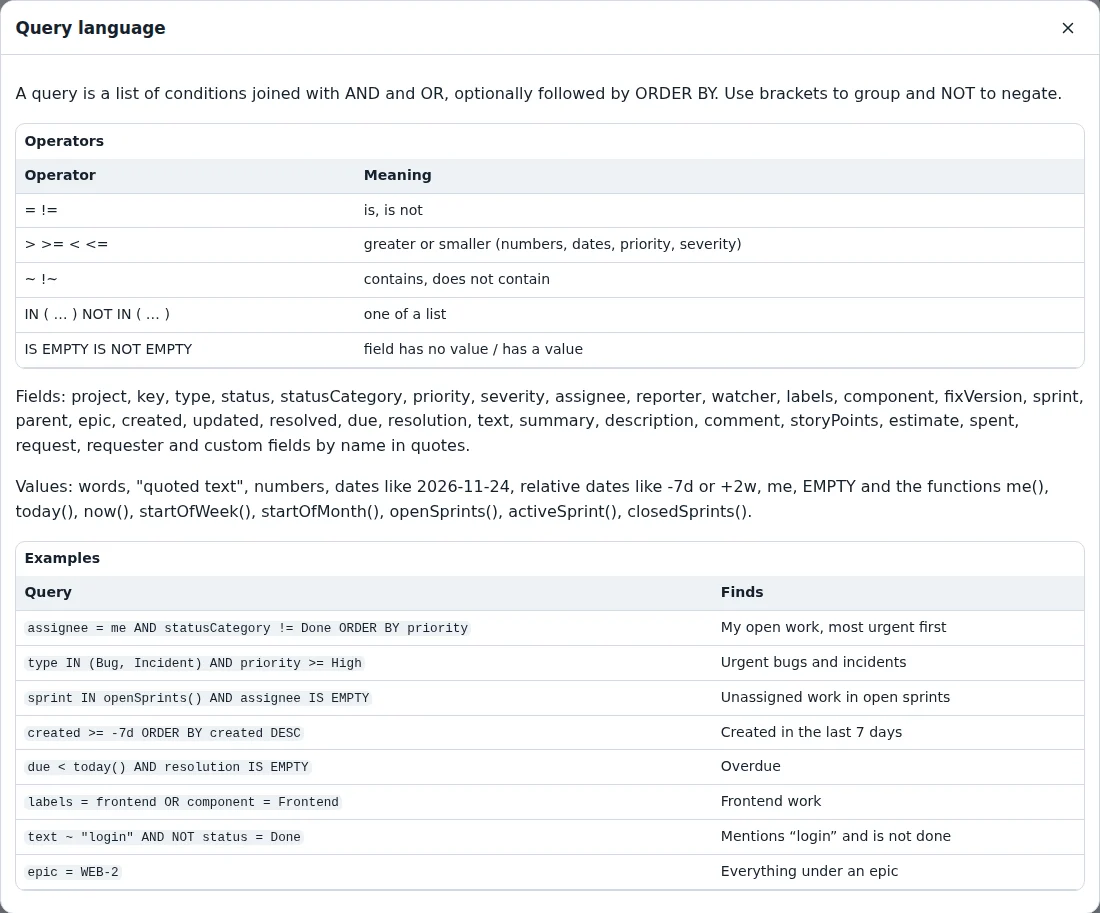
A condition is a field, an operator and a value: status = "In review", priority >= High, labels = frontend. Join conditions with AND and OR, put NOT in front to negate, and use brackets to group. ORDER BY sorts the result; add DESC for the reverse order.
Some useful values:
me— you (see Who are you? in the first tutorial)-7d,+2w— dates relative to today;today()andstartOfWeek()tooopenSprints()— the running sprint, as insprint IN openSprints()EMPTY— no value, as inassignee IS EMPTY
Help → Query language lists every field, operator and function with examples. When a query has a mistake, the list says what is wrong and where, and keeps showing the last result.
Select a column header to sort by it instead.
Saved filters
Queries you need often — my open work, urgent bugs, created this week — go under Save filter…. Saved filters belong to the project, so everybody in a shared project can use them. Pick one under Saved filters to run it.
Bulk edit
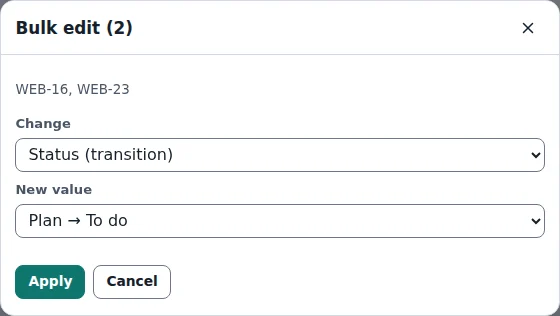
Tick the issues you want to change (or the box in the header for all of them) and select Bulk edit. Change the status, assignee, priority, severity, sprint, due date, add a label, or delete the issues. Status changes follow the workflow: issues for which the move is not allowed, or which miss a required field, are skipped and listed with the reason. One Ctrl+Z undoes the whole bulk edit.
Export
Export CSV writes the issues of the current list as a CSV file for a spreadsheet; File → Export issues as CSV writes all issues. The same queries also run outside the app with the tool Trackwell Query Filter, on a Trackwell project or a Jira CSV export.
Ready to try it?